Flexor stretch
Extend right arm forward, palm up. With left hand, gently draw fingers back toward you. Hold 20 seconds. Switch sides. Keep elbow straight but soft.
Typing and leaning toward the screen tighten the upper body. These moves work at your desk—seated or standing. Go slow, and stop if anything hurts. Ask a qualified professional if you have an injury or condition.
Educational content · About this publisher · Individual results vary
Start With Neck Stretches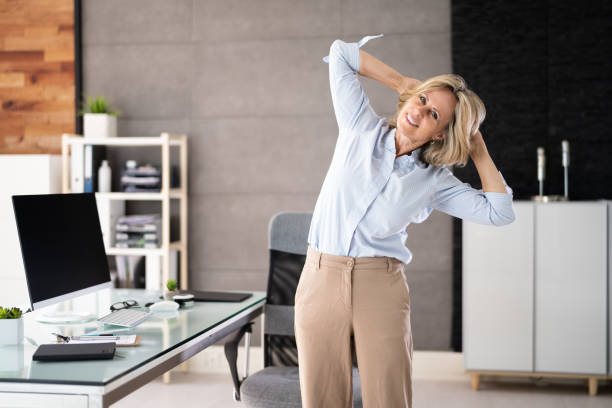
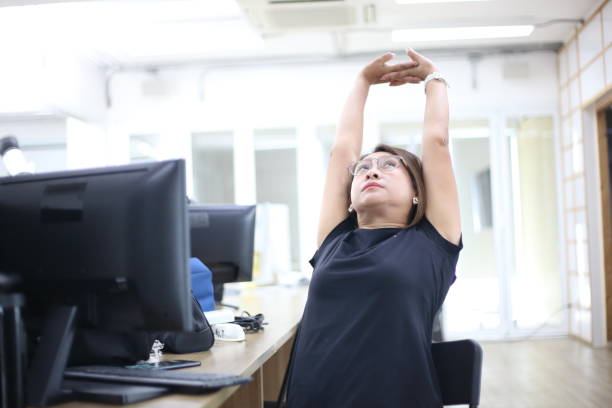
Sit with your hips back in the chair and feet on the floor. Drop your shoulders away from your ears—many of us creep them up during long email sessions without noticing.
Lots of clicking and typing can leave your forearms tight. Try these between big spreadsheet sessions or after a long design block.
Extend right arm forward, palm up. With left hand, gently draw fingers back toward you. Hold 20 seconds. Switch sides. Keep elbow straight but soft.
Arm forward, palm down. Curl fingers down with light pressure from the other hand. Hold 20 seconds. Shake hands loosely afterward.
Palms together at chest height, elbows bent. Lower hands toward waist keeping palms pressed. Hold 15 seconds. Reverse by pressing backs of hands together gently.
Tap neck, shoulders, wrists, or hips to see simple steps you can do in work clothes, even in an open office. Move slowly—no bouncing. Breathe out as you ease into each stretch. Stop if you feel sharp pain, tingling, or numbness. One area per break is enough; on a longer lunch you can do them all.
Sit tall, feet on the floor. Pull your chin straight back, hold five seconds, repeat five times. Tilt your right ear toward your right shoulder, keep the left shoulder down, hold twenty seconds, then switch sides. Drop your chin to your chest and slowly roll your ear toward each shoulder—three gentle half-circles each way (do not roll your head backward).
Tip: Keep your screen at eye level so you are not always looking down. On video calls, prop your laptop on books if the camera makes you hunch.
Roll your shoulders backward five times, forward three times. Cross your right arm under your left at the elbows, lift your forearms if that feels okay, hold fifteen seconds, then switch sides. Clasp your hands behind your back, lift your chest, and hold twenty seconds without locking your elbows.
Between emails, shrug your shoulders up to your ears for two seconds and let them drop—many people hold tension there during busy weeks.
Hold one arm out, palm up, and gently pull your fingers back with the other hand—twenty seconds each side. Then palm down, curl your fingers down lightly. Press your palms together at your chest and lower them toward your waist while keeping contact. Finish by spreading your fingers wide ten times and shaking out your hands.
Try to keep your wrists straight on the keyboard—bent wrists tire your forearms during long typing sessions.
Seated: cross one ankle over the opposite knee, sit tall, and lean forward until you feel the outer hip—twenty-five seconds each side. Standing: step one foot back, tuck your hips slightly, bend the front knee a little, hold twenty-five seconds, then switch. If you feel steady, you can gently pull your foot toward your glute, using the desk for balance.
If you have a sit-stand desk, switch positions about every hour—hips get tight when you sink deep into the chair.
Press start when you settle into a stretch. Twenty seconds is a good default for desk stretches.
seconds left
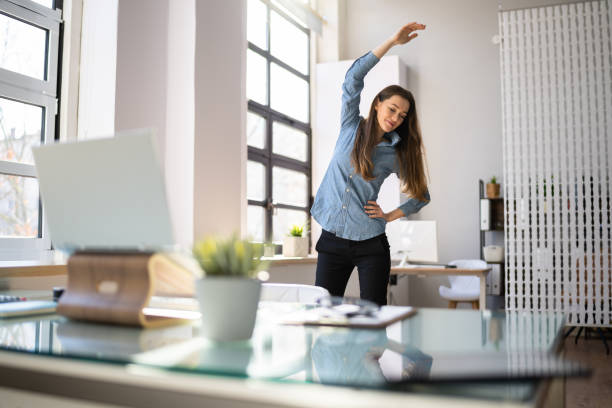
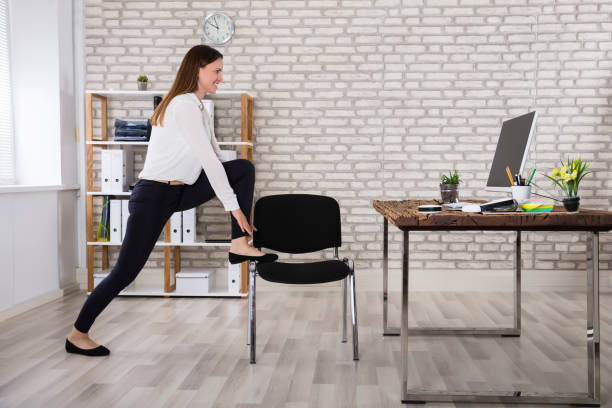
Hips flex while sitting, which can shorten hip flexors over time. Stand beside your desk for the standing option; use the seated figure-four if space is tight.
Standing lunge stretch: Step right foot back, both feet pointing forward. Tuck pelvis slightly, bend front knee. Hold 25 seconds. Switch legs.
Seated figure-four: Ankle on opposite knee, sit tall, hinge forward until you feel outer hip stretch. Hold 25 seconds per side.
| Date | Focus |
|---|---|
| Jun 10, 2026 | Neck & traps |
| Jun 11, 2026 | Wrists & forearms |
| Jun 12, 2026 | Hips & posture |
One full upper-body round (neck, wrists, shoulders) once per hour of intensive computer work is a reasonable starting point. Reduce if you feel soreness beyond mild muscle sensation.
Either works. Pre-meeting stretches may help you sit more comfortably; post-meeting stretches release tension from stillness during long calls.